Upload and manage supporting documents
Keep agreements, IDs and supporting files beside their records.
Tenant / Tenancy / Property → Documents
Before you beginCheck permission to store the file and remove unrelated personal information.
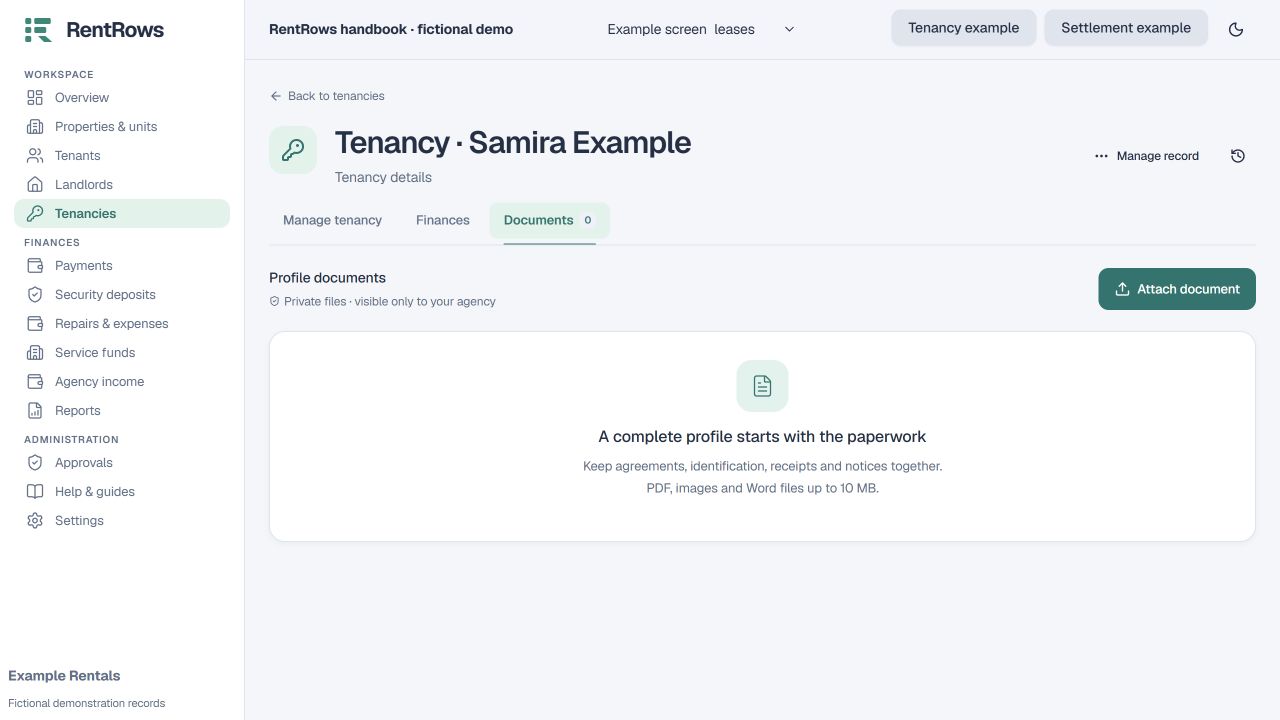
Follow the steps
- 01
Open the record the document belongs to and select its document upload action.
- 02
Choose the file and give it a clear description so someone can recognise it later.
- 03
Open the saved document to check that it is readable and attached to the correct record.
- 04
Use the record’s financial actions to generate invoices or receipts; those documents can be generated again from saved data.
- 05
Use Reports → Complete archive when you need the original uploaded files together with the exported records.
Check the result
Supporting evidence is available in context without being confused with a financial entry.
Keep going
Still need help?
Tell support which screen you are on, what you expected and what happened. Include a bill or receipt number where useful. Never send passwords, payment credentials or email confirmation links.
Contact support →Open your workspace →