Add properties and units
Build an accurate list of occupied and vacant rentals.
Properties → Add property / Add unit
Before you beginDecide how you label each property and unit. Agency users should add the owner first when known.
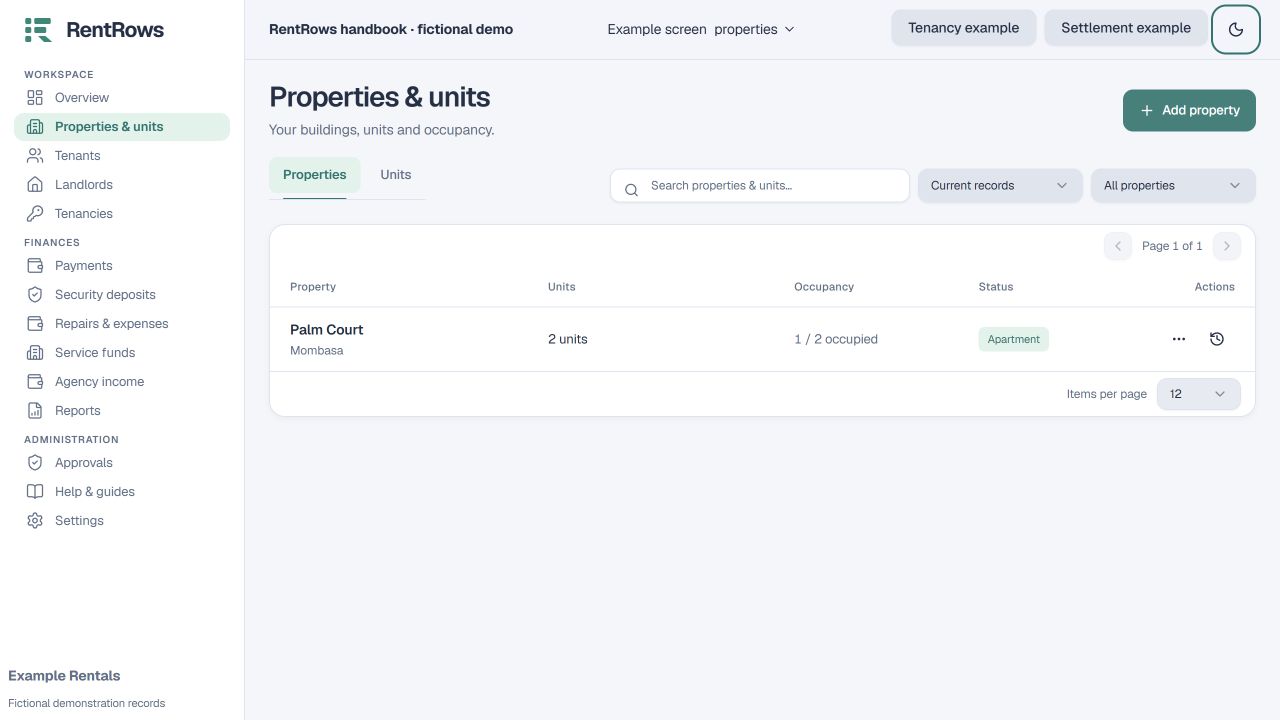
Follow the steps
- 01
Add the property name, location and type. Agency users can link its landlord; a unit may have a different owner where needed.
- 02
Add each unit once, using the label tenants recognise, such as A1. Enter monthly rent and bedrooms if known.
- 03
Open the unit overview to see whether it is occupied or vacant and whether it already has a tenancy.
- 04
For an occupied unit, create a tenancy and link the correct tenant. For a vacant unit, leave it without an active tenancy.
- 05
Use the unit overview to edit its details or open its current tenancy. Archive records only when you want to remove them from active lists.
Check the result
Each unit has one clear location and occupancy record.
Keep going
Still need help?
Tell support which screen you are on, what you expected and what happened. Include a bill or receipt number where useful. Never send passwords, payment credentials or email confirmation links.
Contact support →Open your workspace →