Move a tenant in and create their first bills
Save the agreed rent, deposit, dates and charges before taking money.
Tenancies → New tenancy, or an available unit → Create tenancy
Before you beginAdd the unit and tenant first. Check the actual agreement and any existing payment records.
Follow the steps
- 01
Select the correct tenant and available unit. Check the actual move-in date and monthly rent.
- 02
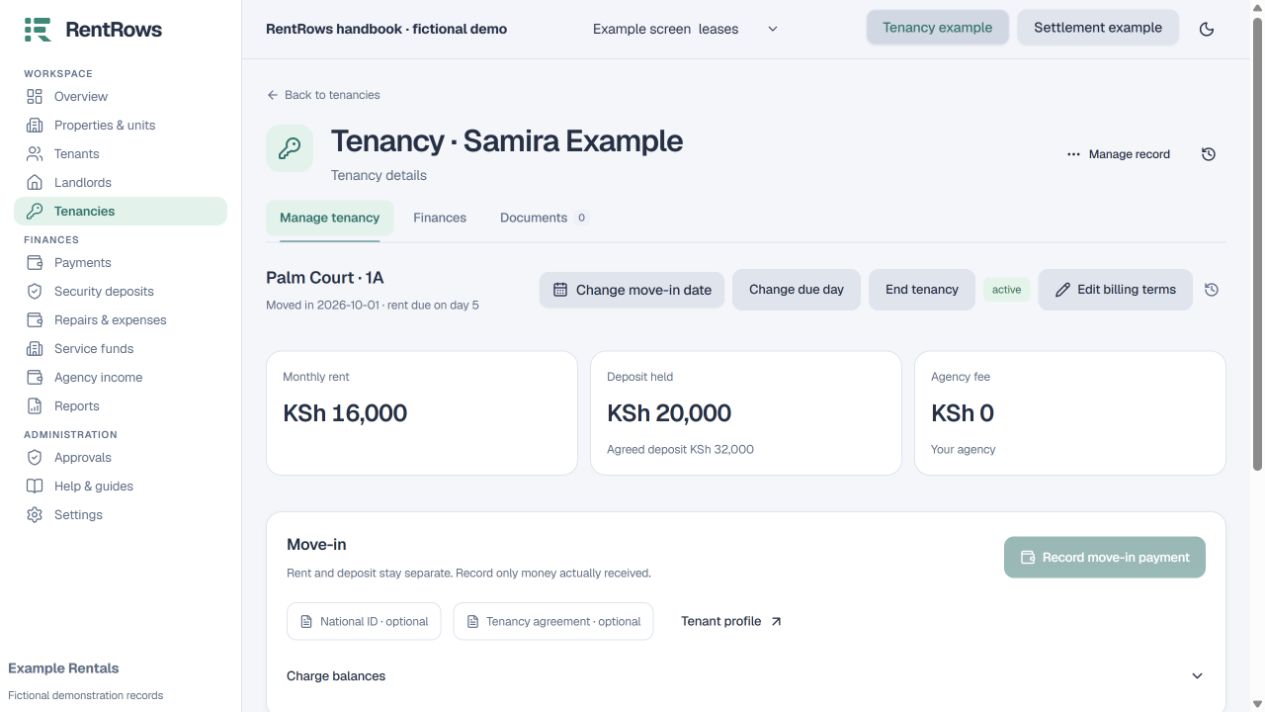
Set the due day and the first rent month to bill. Review the first-month amount; RentRows does not assume a part-month discount.
- 03
Enter the deposit actually agreed: none, a fixed amount or the configured rent-based amount. A deposit requirement is not a deposit receipt.
- 04
Agency users can review any agreed agency fee and who receives it. Landlord workspaces do not need an agency fee.
- 05
Review the opening charges before saving. Record money already received against the exact bills afterwards. Attach the signed agreement if available.
Check the result
The tenancy appears as active, the unit is occupied, and the intended opening bills are visible.
Keep going
Still need help?
Tell support which screen you are on, what you expected and what happened. Include a bill or receipt number where useful. Never send passwords, payment credentials or email confirmation links.
Contact support →Open your workspace →