Review your rental performance
Use a rent roll, due-rent list and income/cost report for your own rentals.
Landlord overview / Reports
Before you beginUse a landlord workspace. Keep actual rent receipts and operating costs up to date.
Follow the steps
- 01
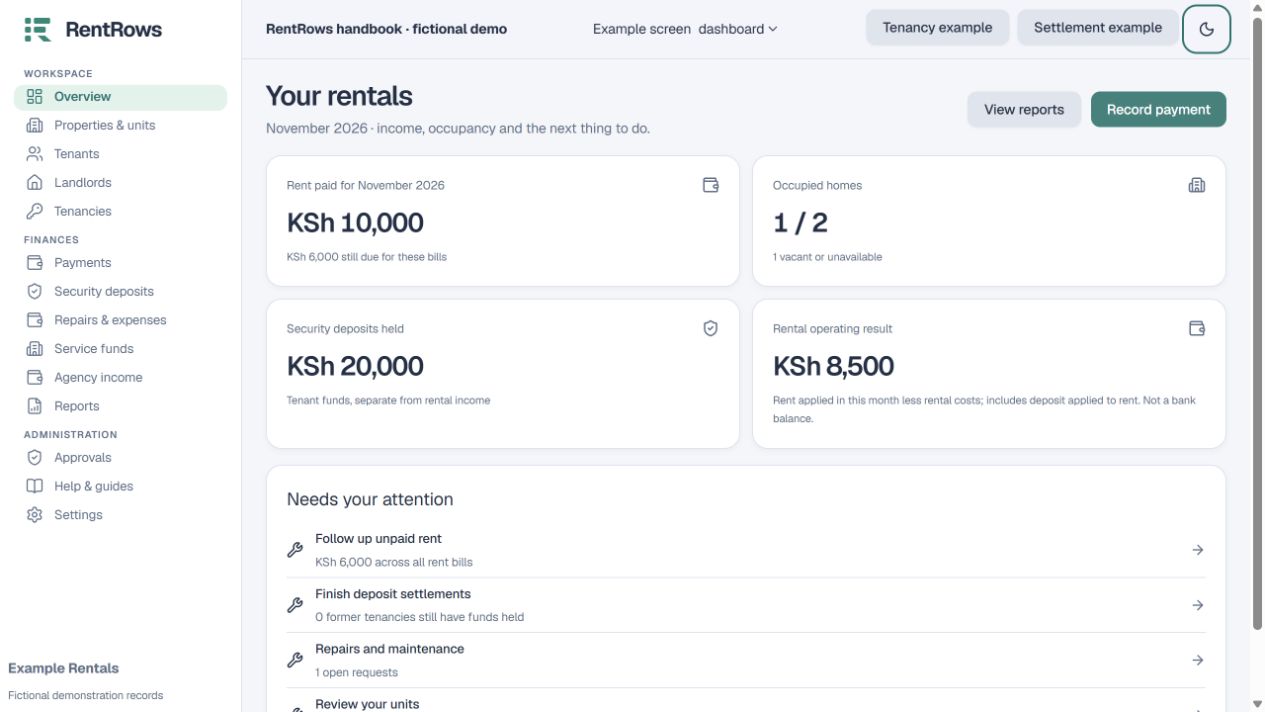
Open the overview to see occupancy, rent collection and held deposits.
- 02
Use Rent roll to review units, tenants, agreed rent and occupancy together.
- 03
Use Due rent follow-up for bills already due. Future bills should not be treated as overdue rent.
- 04
Use rental income and costs for operating activity. Deposits held are separate from rental income; externally funded or service-fund costs do not belong in your own operating result.
- 05
Choose the period and property before exporting or comparing results.
Check the result
You can see which units need attention and how recorded rental income compares with costs.
Keep going
Still need help?
Tell support which screen you are on, what you expected and what happened. Include a bill or receipt number where useful. Never send passwords, payment credentials or email confirmation links.
Contact support →Open your workspace →